From idea to visible results.
Scrum4Me turns product intent into a verifiable delivery pipeline. Ideas become plans, tasks, agent runs, tests, commits and pull requests, all within the standards and guidelines you define for each project.
Demo login: username demo · password demo1234
Free during beta · desktop-first (1024px+)
Beta version
Scrum4Me is under active development. Accounts and entered data may be changed, reset or removed during this phase.
From idea to product within your project standards
A short, visible pipeline: intent is captured in Scrum4Me, refined into structured work, executed by agents and verified before it becomes product output.
Capture product intent in a concise idea. This is the first traceable input.
Claude challenges the idea and writes a structured plan for PBI, stories and tasks.
Approved work is materialized into Scrum data and placed in the job queue.
The Docker runner claims the job, starts Claude Code and reports progress back.
Verification, commits, pull requests and status logs make the result inspectable.
State machine: DRAFT -> GRILLING -> GRILLED -> PLANNING -> PLAN_READY -> PLANNED. Materializing a plan creates exactly one PBI with N stories and M tasks in one atomic transaction. After that the delivery flow takes over: queue, claim, worktree, verification, status log and pull request remain traceable.
Ecosystem - five repos, one delivery flow
Scrum4Me is the planning app, while execution is split deliberately: worker management, MCP tools, Docker runtime and shared schema logic each have their own boundary. Postgres is the queue and signalling layer; code stays in git and temporary worktrees.


What runs where?
Planning app for products, PBIs, stories, tasks, sprints, ideas, product docs and the question channel. This is where product work is prepared and followed.
Admin-only execution UI on scrum4me-workers.jp-visser.nl: job queue, worker registry, API tokens, job config and repo access. This is where you manage the execution layer.
Tool and claim layer. MCP atomically claims jobs, provides context and prompts, receives logs/status, asks user questions and guards verification.
Headless Docker runner on a NAS, server or laptop. The daemon creates worktrees, starts exactly one Claude Code invocation per job and stores runtime logs.
Shared kernel through git submodule: canonical Prisma schema, status mappings, job config and realtime payload types. Schema changes start here.
Source code, branches and pull requests stay in your own git environment. Scrum4Me stores metadata, logs, commit hashes and PR links, not the full source tree.
Workflow - from planning to verified execution
The Execute button does not start hidden magic. It starts an explicit job flow with a database queue, lease/claim logic, an isolated worktree and realtime status updates in both UIs.
Planning writes a ClaudeJob
Scrum4Me web turns work from a story, sprint or idea into a QUEUED job in Postgres and emits a NOTIFY event.
MCP claims and provides context
scrum4me-mcp claims the job atomically and loads product docs, task plan, repo config, prompt and allowed tools.
Docker-runner starts Claude Code
scrum4me-docker creates or reuses a worktree and starts one Claude Code invocation for this exact job.
Agent logs through MCP tools
Claude writes implementation logs, test results, questions and status transitions back through the MCP tooling.
Git and PR flow stay external
The runner works in the git provider with branches and PRs. Scrum4Me stores only the trace: status, logs, commit hashes and links.
Realtime visibility in both apps
Postgres LISTEN/NOTIFY feeds SSE, so Scrum4Me web and scrum4me-workers see the same job status without refresh.
Where do you manage what?
See Scrum4Me in action
Six planning-side views, from incoming ideas to personal Kanban and progress insights. The execution side lives in the workers app; these screenshots show where work is created and followed.
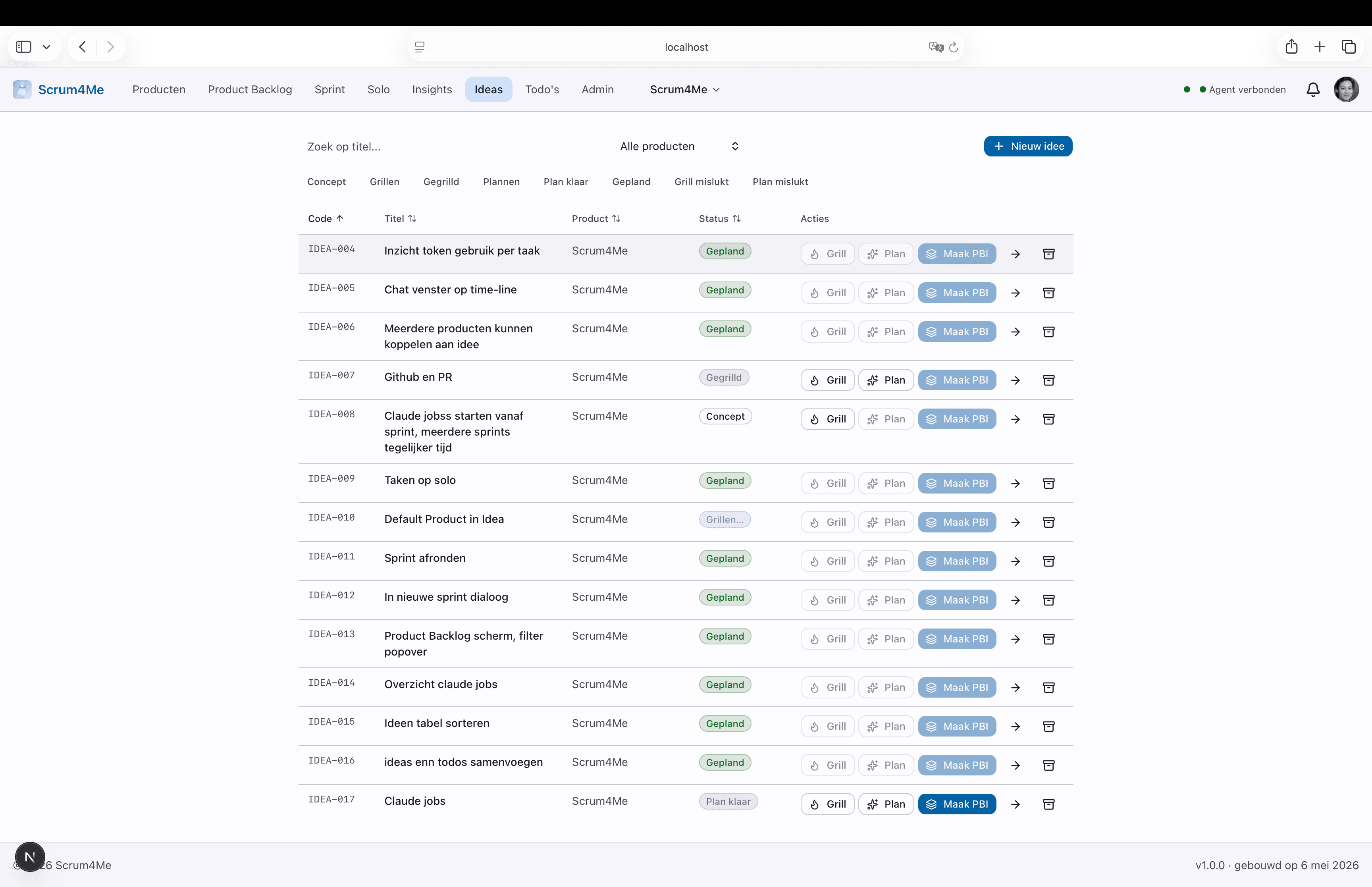
Personal overview of ideas with status (DRAFT -> GRILLED -> PLAN_READY -> PLANNED). Click "Grill me" or "Make plan" to start a local agent; materializing creates exactly one PBI with stories and tasks.
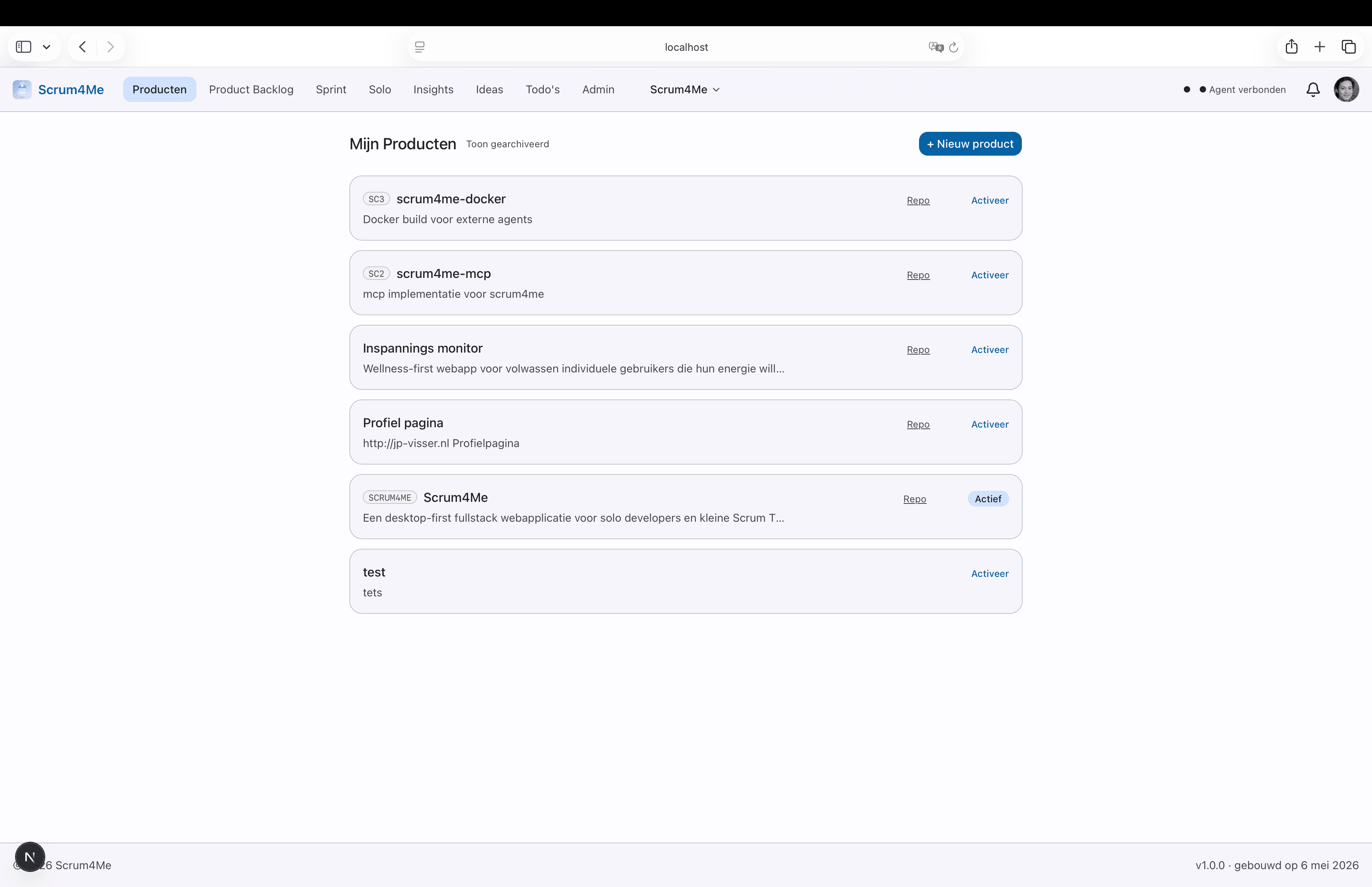
One overview of all products you can access: your own products plus products where you are added as a developer. From here you jump to Backlog, Sprint or Solo.
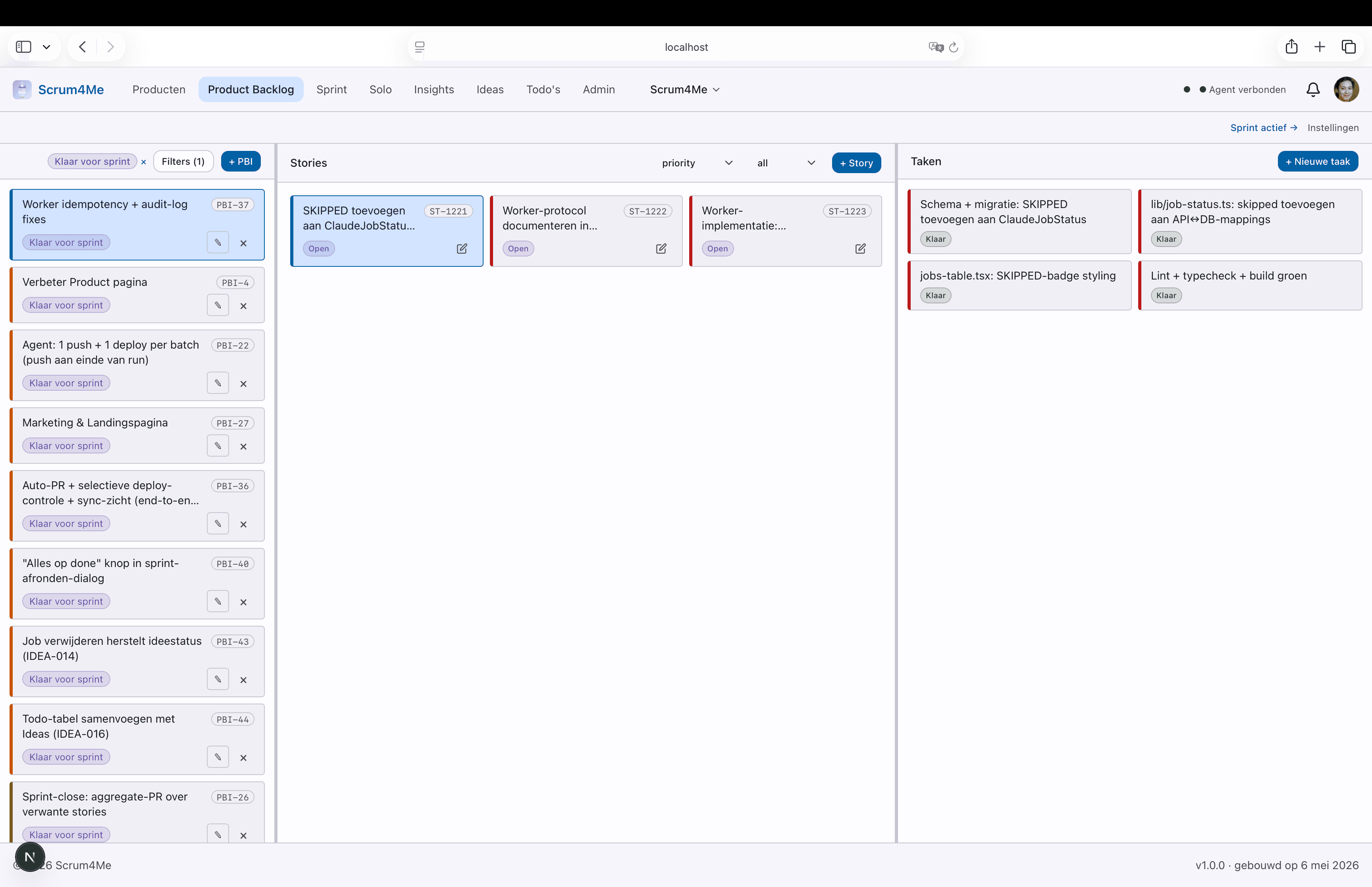
PBIs grouped by priority (Critical -> Low) in the left pane. Click a PBI to see stories on the right, ranked by urgency and draggable.
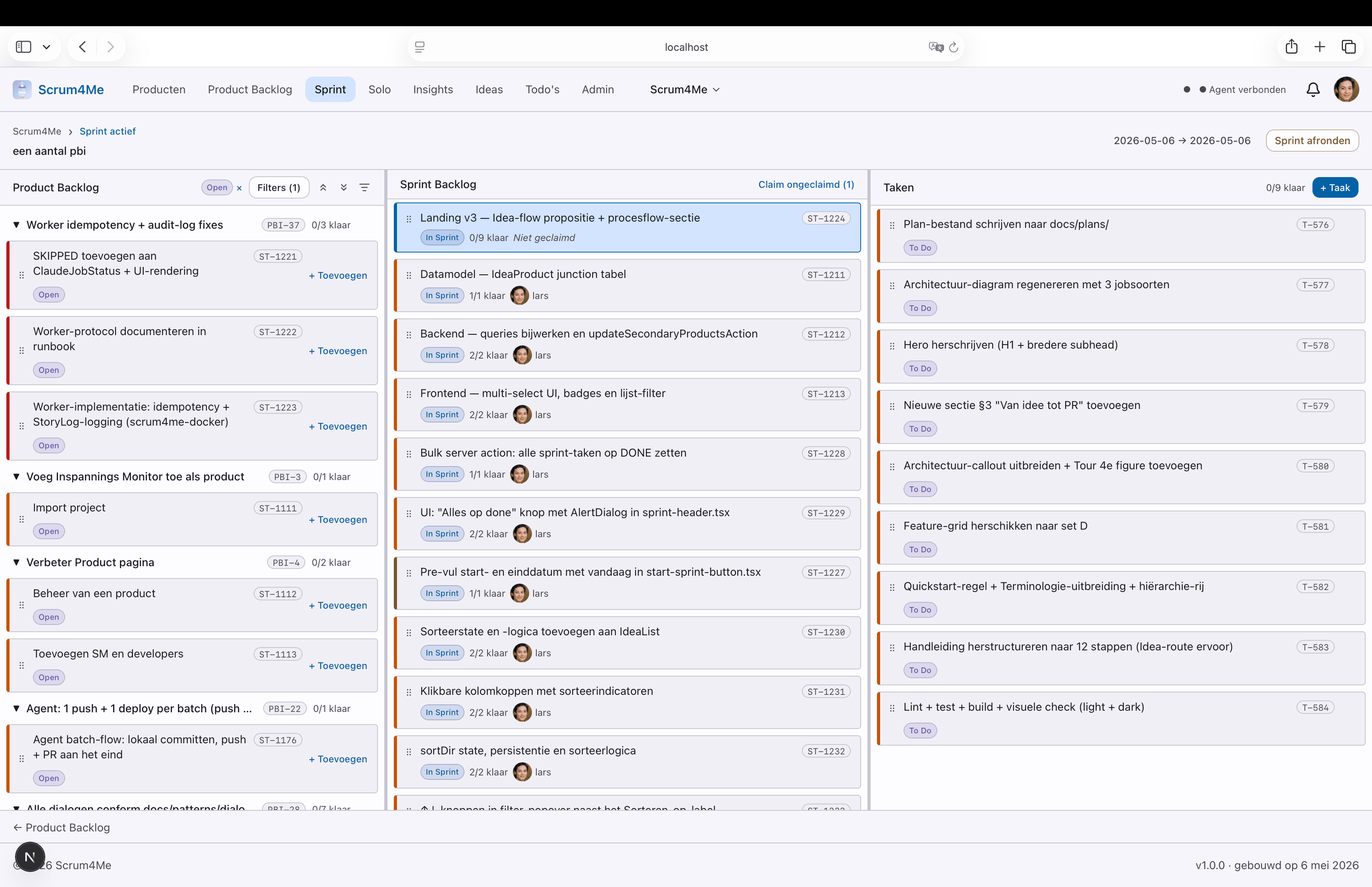
Three panels on one screen: Product Backlog left, Sprint Backlog in the middle, tasks for the selected story on the right. Dragging stories between panels uses dnd-kit.
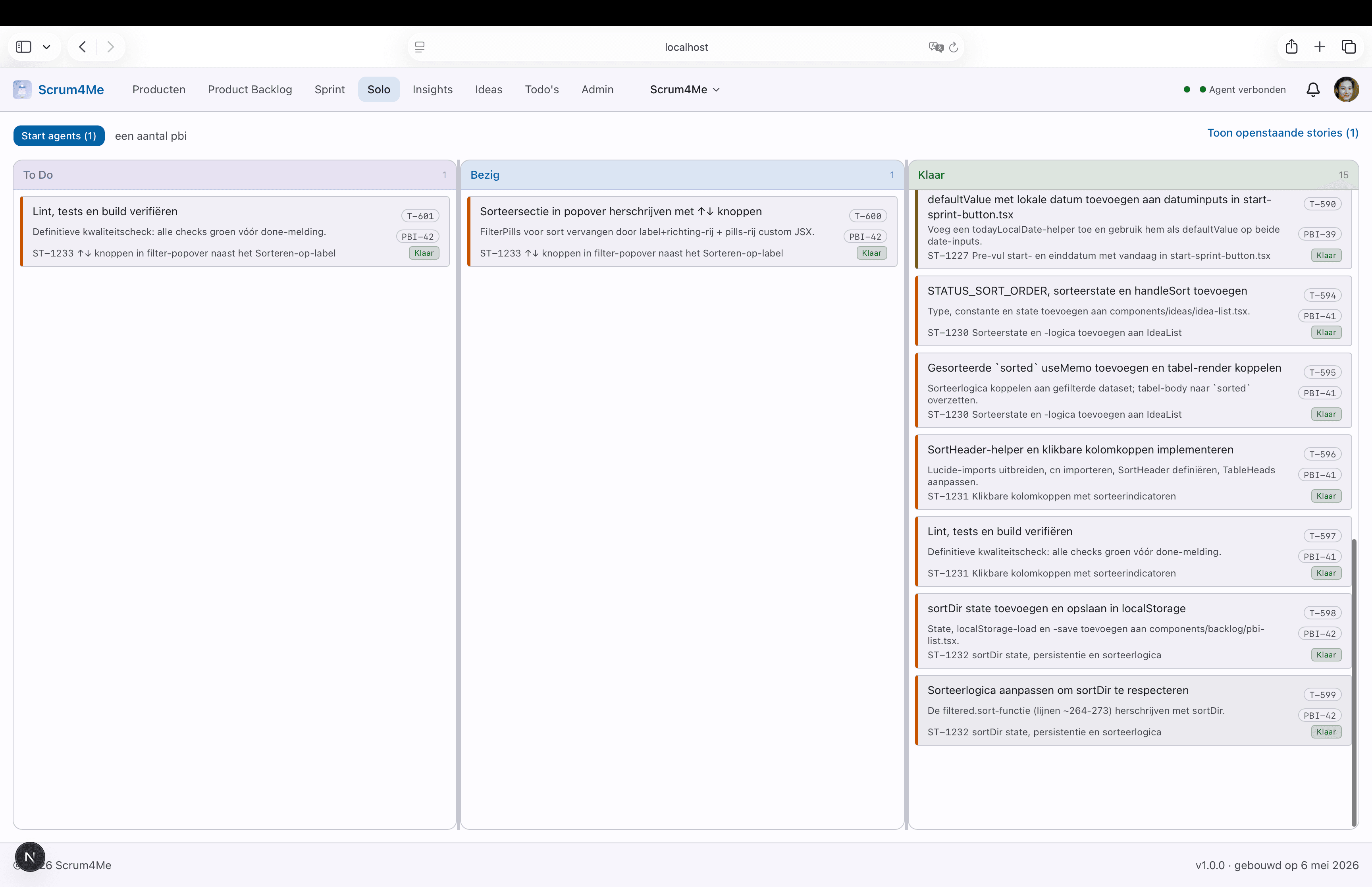
Personal Kanban board per product. Shows only tasks from stories you claimed, in three columns (To Do, In Progress, Done). Drag-and-drop between columns changes status.
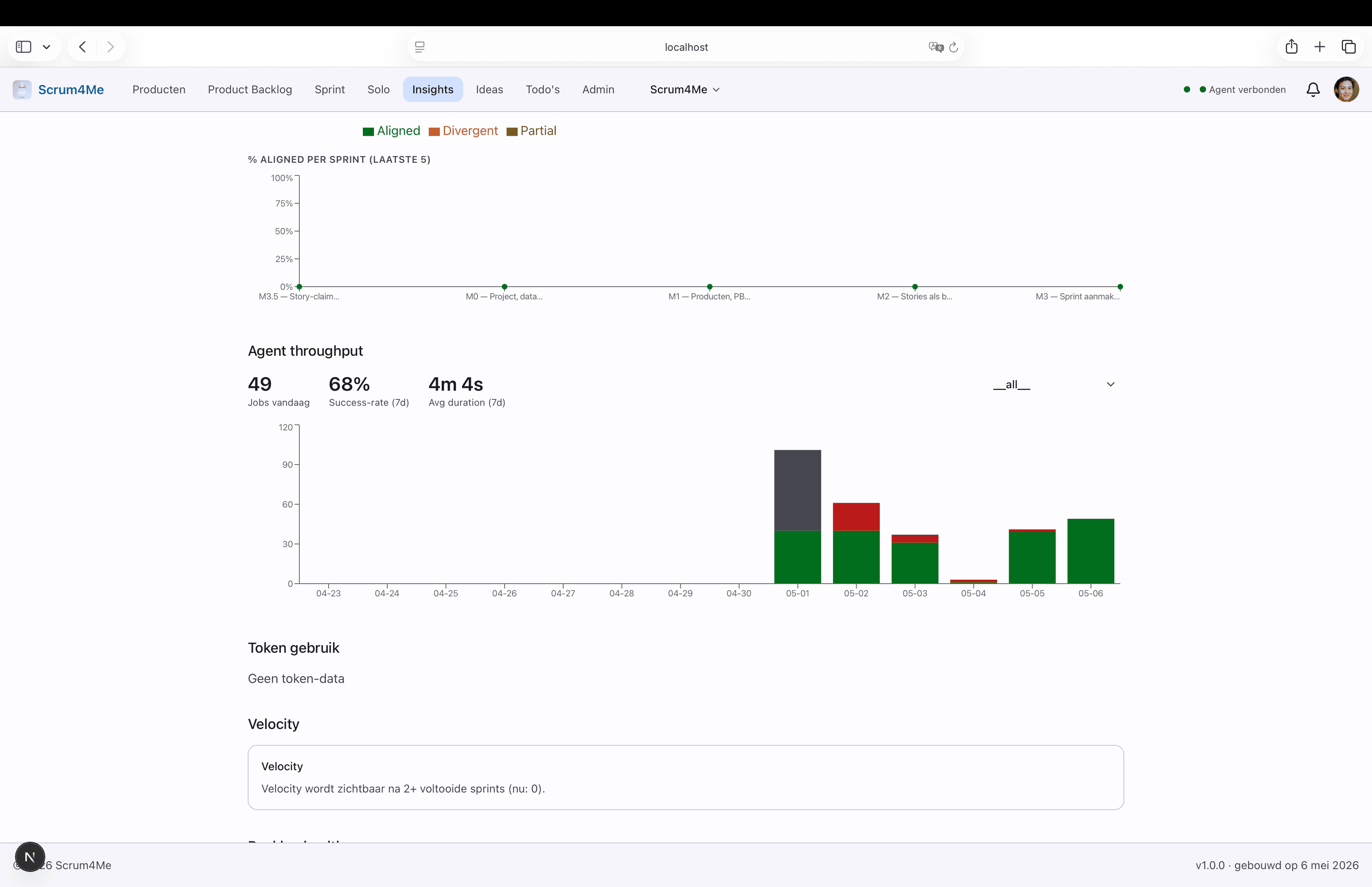
Progress per product: lead times, agent throughput and sprint results at a glance. Helps identify patterns: which stories stalled, which moved smoothly.
What is Scrum4Me?
Scrum4Me is a desktop-first web application that makes Scrum lightweight without the overhead of large tools like Jira or Linear. It is built for developers who want to keep control over planning and execution.
Capture an idea in two sentences. Claude grills it with critical questions, writes a YAML plan and turns it into PBI + stories + tasks. All asynchronous through a job queue.
Two views of the same data: a team board (Product Backlog · Sprint Backlog · tasks) and a personal Kanban with claimed stories.
A job queue with an Execute button. scrum4me-docker claims through scrum4me-mcp, runs Claude Code in a worktree and reports status back. Multiple workers can run safely in parallel.
SSE on top of Postgres LISTEN/NOTIFY. Changes from other tabs, the workers app or the runner appear within 1-2 seconds in your Solo Panel, no refresh needed.
When an agent is blocked on a choice, it posts a question through the notification icon. You answer when ready; the agent continues automatically. During a Grill, Claude asks questions through the same channel.
Jobs, workers, API tokens and repo access belong in scrum4me-workers.jp-visser.nl. Scrum4Me remains the planning UI; workers is the operational cockpit.
Quickstart - runner or local MCP development
The normal route uses the headless Docker runner. For local tool development you can connect the MCP server directly to Claude Code.
Path A - normal runner
- Create an implementation token in scrum4me-workers.jp-visser.nl/api-tokens.
- Put the token, Claude OAuth token and git credentials in the runner env.
- Start scrum4me-docker on a NAS, server or laptop.
- Check the heartbeat in scrum4me-workers.jp-visser.nl/workers.
- Click "Execute" in Scrum4Me.
Path B - local MCP development
git clone https://git.jp-visser.nl/janpeter/scrum4me-mcp.git
cd scrum4me-mcp && npm install

# Add it to the Claude Code config
# and use the Scrum4Me MCP tools directly.
Useful for tool development, product-doc retrieval and local inspection. The production runner remains the recommended route for real job execution.
Prefer to skip MCP? Use the REST API with a Bearer token for scripts, CI pipelines and controlled integrations.
Scrum in Scrum4Me
Scrum4Me applies a lightweight version of Scrum: the essentials without ceremony overhead. This is how the core terms map to the app.
Hierarchy
Terminology
Roles
In v1, one account equals one user with all roles. Team usage with role separation follows in v2.
User guide
Follow these steps to go from an empty account to a fully planned Sprint.
REST API for controlled integrations
All API endpoints require an Authorization: Bearer <token> header. You manage implementation tokens in scrum4me-workers.jp-visser.nl/api-tokens.
# Fetch the next story from the active Sprint
curl -H "Authorization: Bearer $TOKEN" \
https://<your-instance>/api/products/<product-id>/next-story/api/productsList active products/api/products/:id/next-storyHighest-priority open story from the active Sprint/api/sprints/:id/tasks?limit=10First N Sprint tasks in order/api/stories/:id/tasks/reorderChange task order (body: { task_ids: string[] })/api/stories/:id/logRecord activity: implementation plan, test result or commit/api/tasks/:idUpdate task status or implementation plan